
Hi! Ask anything about Rubix Technology: services, products, or how to get started. Answers come from this site, with a link to the page they came from.
Rubi TalkChart
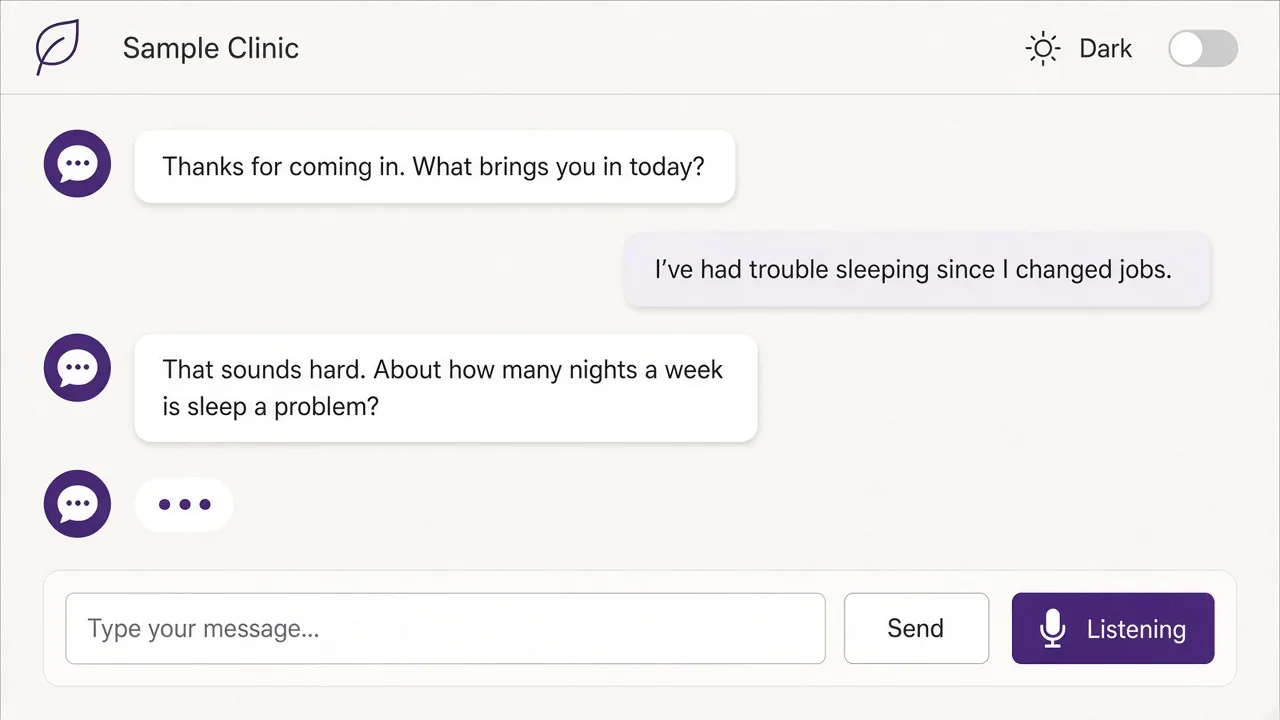
Your intake form, collected by conversation.
Rubi TalkChart is a voice data-capture agent configured with your clinic’s forms. People answer by talking or typing, the answers land on the right fields, and staff review everything before it goes into the record. Staff stay in control.
A look inside
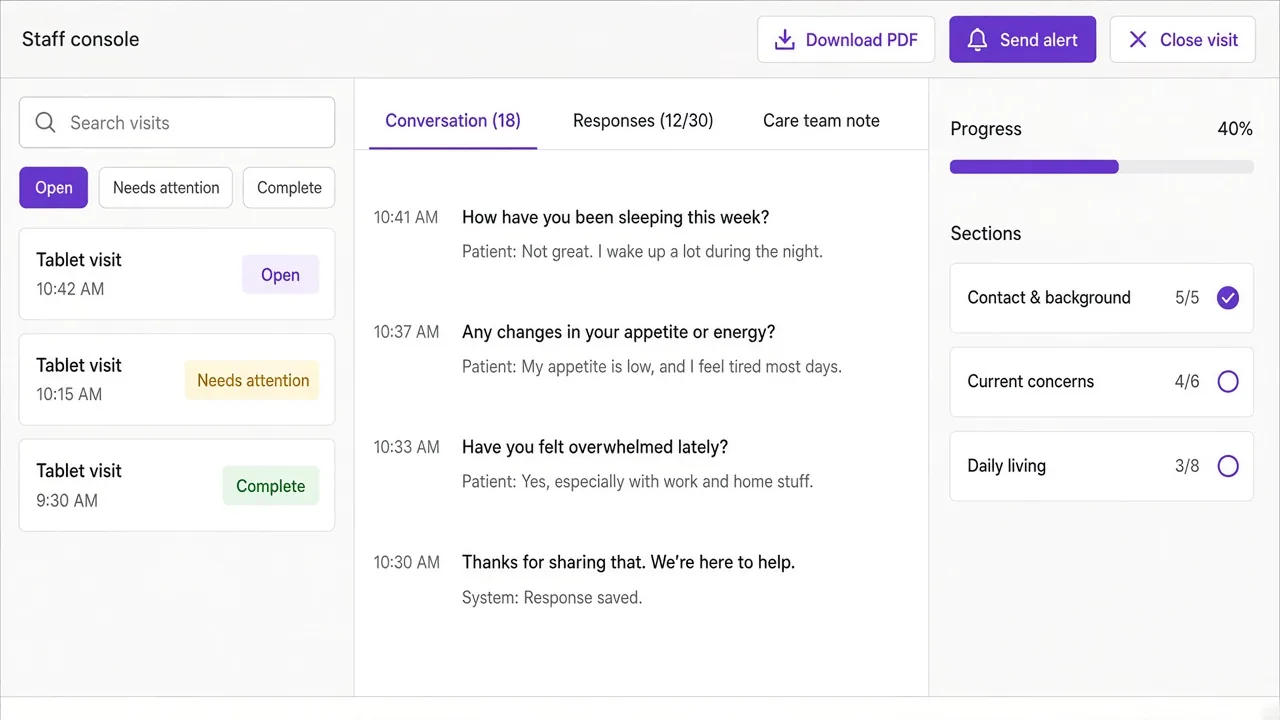
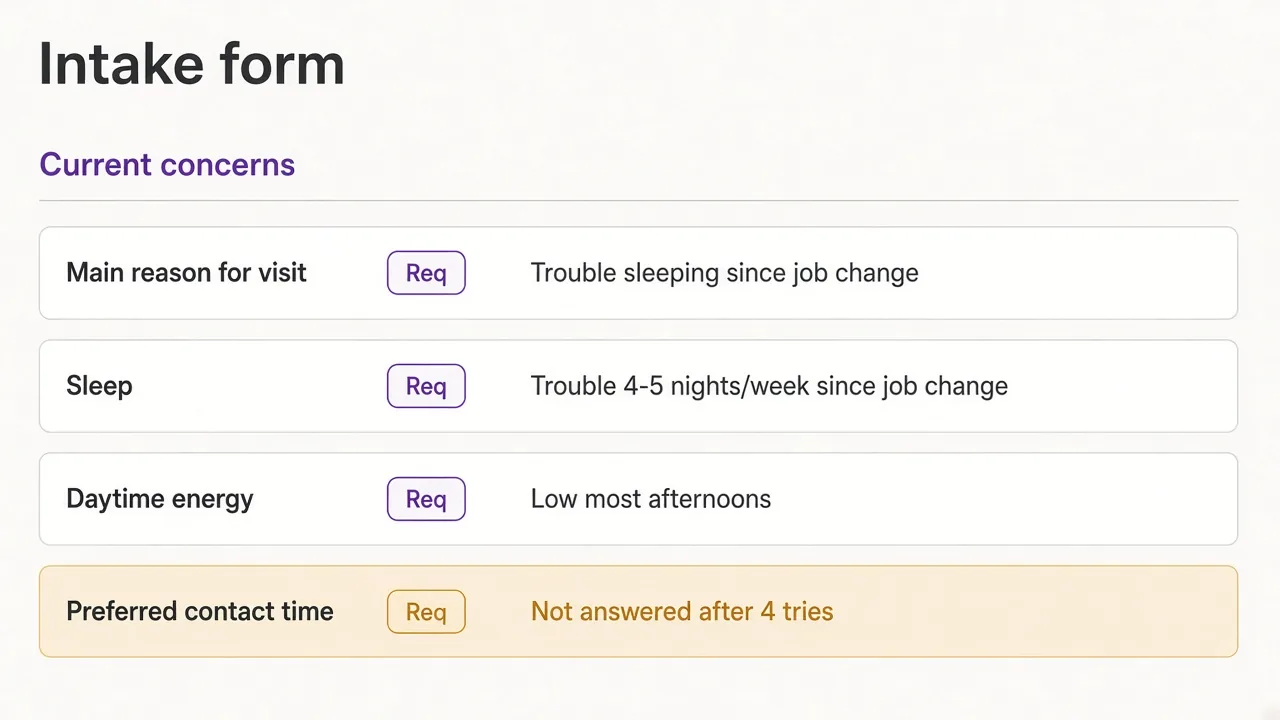
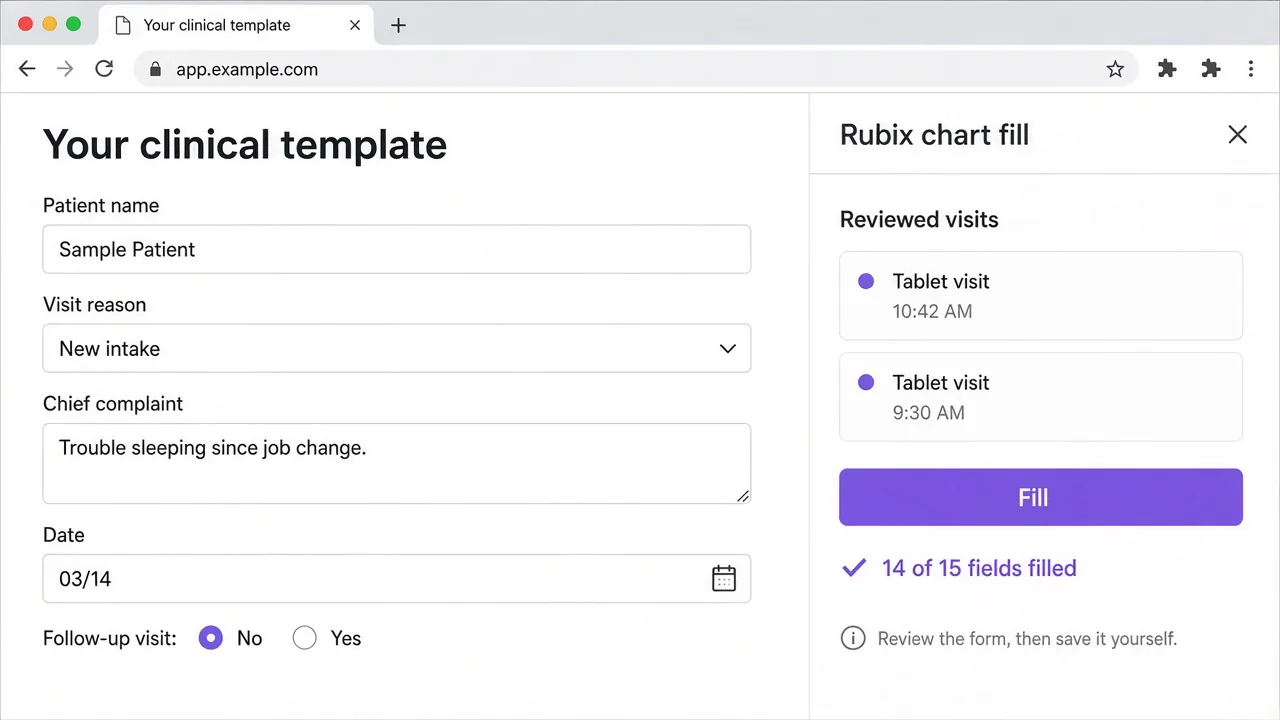
Illustrative screens with made-up data.
What it does
- Intake by voice or typing. Configured with your clinic’s forms. On a clinic tablet, people answer by talking or typing, one question at a time. The agent rephrases a question that doesn’t land, skips what’s already covered, and marks an item “not answered” after repeated tries. Every answer is saved to its field.
- A live view for staff. Intake staff and clinicians follow each visit as it happens, with the conversation, the captured answers by section, and progress.
- A drafted note and PDF. The captured answers come with a note drafted for clinician review and a PDF you can download.
- Safety-language alerts. Email or text alerts go to the staff you choose. TalkChart flags safety language for your staff and shows your clinic’s own crisis resources.
- Entry into your electronic record. A browser extension fills the reviewed answers into the open form in your electronic record system, using a field map your staff set up. It doesn’t save or sign; your staff review and save.
- Less identifying detail sent to outside AI. Can strip identifying details before anything reaches an outside AI model, set up during implementation.
- AI model options. Runs on affordable AI model options we provide.
Who it’s for
Clinics with intake paperwork, including community behavioral-health clinics. The people you serve use the tablet; intake staff and clinicians use the web console.
TalkChart collects information for your team. Your staff review every answer and decide what goes into the record.
How a rollout works
Every clinic is different, so TalkChart starts with discovery and implementation. We configure it with your forms and your record system, and we can work in assessment tools your clinic already licenses.
To get started, schedule a call below.
Schedule a call
Tell us a little about your clinic and the forms you use at intake. We’ll set up a time to walk you through TalkChart.
Prefer the phone? Call 800-799-4407.