
Hi! Ask anything about Rubix Technology: services, products, or how to get started. Answers come from this site, with a link to the page they came from.
Products
Meet the technology we’ve built.
Six products, built and supported by the same team, plus two free tools: a PDF signer and a certificate tool for IIS. Each one started as a problem we kept seeing in the field.
Hosted or managed Secure Message, Secure Desk, or SecureGuard is available by request. Tell us what you need.
Secure Message
Private email, without the extra passwords.
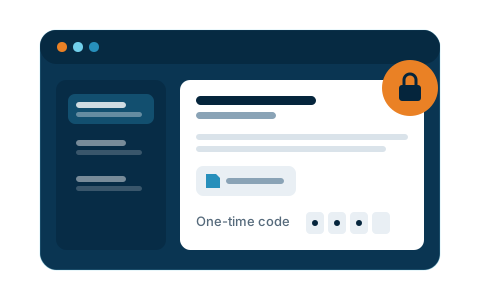
Protect sensitive messages and attachments. Recipients open them with a one-time code, with no account or app to install.
- Encrypted under keys you hold
- Recipients need no account
- Screens inbound phishing and impersonation
- Runs on your own network
View technical specifications
Outbound message protection, a one-time-code recipient portal, and layered inbound filtering — running as an appliance on the customer’s own network.
Most secure-email services route your mail through their servers, decrypt it to scan and store it, then push your recipients into a portal with yet another password. Secure Message inverts that: the gateway runs on the customer’s own network, every stored message and attachment is encrypted under their keys, and nothing in the mail path depends on us being reachable.
What it does
- Messages and attachments encrypted at rest under keys the customer holds
- Inbound on-box BEC and phishing score — the only AI in the mail path
- Recipients read protected mail with a one-time code — no account, no app
The only AI is an inbound on-box BEC/phishing score.
Deployment
Appliance on your own network
Encryption
At rest, under your keys
Recipients
One-time code, no account
AI scoring
Inbound, on-box
SecureGuard
Network protection you can change with confidence.
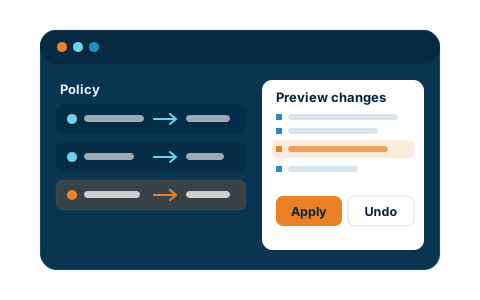
A firewall where every change can be previewed before it goes live, and undone in one step if something goes wrong.
- Preview a change before it applies
- Roll back to any earlier version in one step
- Automatic undo if a change locks you out
- A person approves every change
View technical specifications
An object-based, zone-aware firewall whose entire configuration is one document: validated, rendered into every daemon, and applied atomically instead of edited daemon by daemon.
Firewall outages are usually configuration accidents: a rule edited on a live box, NAT tangled through the filter policy, no way back except a restore. SecureGuard treats the whole configuration as one document — validated, rendered into every daemon, applied atomically — so a change is reviewable before it lands and reversible after it does.
What it does
- Policy reads LAN → WAN using named objects, so re-cabling a site isn’t a policy migration
- Preview the rendered diff before you commit — and a confirm window rolls back a change that locks you out
- Every state is an immutable revision, so rollback is an id rather than a restore
- The AI layer proposes changes and can throttle on a reputation score. A human commits. We do not advertise auto-block.
Rollback is an id, not a restore. Every config state is an immutable, content-addressed revision.
Model
Objects and zones, not IPs
Changes
Preview diff, then commit
History
Immutable revisions
AI layer
Propose / reputation; human commits
Secure Desk
Secure access. Simple connections.
Connect to desktops and provide remote support through a secure, browser-based experience.
- Browser-based access
- Encrypted end to end
- No inbound firewall rules to open
- Runs on a relay you control
View technical specifications
Persistent Windows desktops in the browser, and isolated desktops for AI agents, on a customer-run relay. The relay pairs sessions and forwards ciphertext — it cannot watch. Remote support is one use case, not the product.
Secure Desk is web VDI and isolated AI-agent desktops on a relay you run. Persistent Windows desktops in the browser; many agents, each with its own enrolled desktop and session keys. The relay only pairs sessions and forwards ciphertext — it cannot watch. Remote support is one use case on the same pipe, not the category.
What it does
- End-to-end encrypted sessions — the relay forwards AES-256-GCM it holds no key for
- No inbound firewall rules: both ends dial out to the relay you run
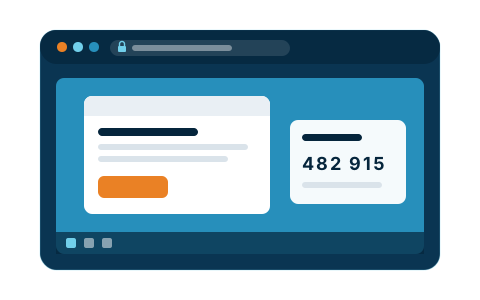
- Per-session verification code, so both ends can confirm who they’re connected to
The relay forwards AES-256-GCM it holds no key for — and needs no inbound rule on the networks you reach. Desk does not run or orchestrate the agents.
Hosting
Your relay, your network
Session
End-to-end encrypted
Firewall
No inbound rules
Use cases
Web VDI, agent desktops, support
SecureWatch
Camera recording that keeps going when the internet doesn’t.
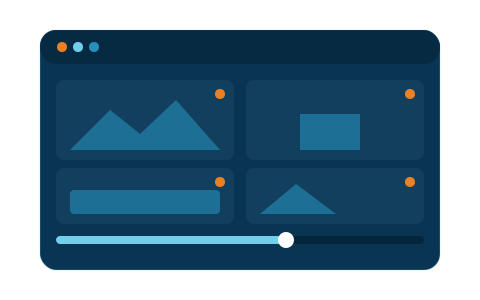
Cameras record on site, and you can play footage back from anywhere without sending every frame to the cloud.
- Continuous recording on site
- Keeps recording through internet outages
- Remote playback
- Plans sized by cameras and sites
View technical specifications
Edge nodes write continuous record on site. The cloud orchestrator relays playback. TLS and mTLS; local node admin; the node dials out. Licensed by cameras and sites — Starter 4/1 · Team 16/3 · Business 64/unlimited (plan shape only).
SecureWatch is a distributed NVR: edge nodes write continuous record on site, and the cloud orchestrator relays playback rather than holding a second copy of every frame. TLS and mTLS on :443; local node admin on :8443; the node dials out. Licensed by cameras and sites — Starter 4/1 · Team 16/3 · Business 64/unlimited (plan shape only).
What it does
- Continuous record on the edge node; WAN drop does not stop the disk
- Orchestrator relays playback — not a second copy of every frame
- TLS/mTLS on :443; local admin on :8443; node dials out
Learn more or request access at www.secure-watch.io.
Model
Distributed NVR — edge record, relayed playback
Edge
Continuous record; WAN drop does not stop the disk
Transport
TLS/mTLS :443; local admin :8443; node dials out
Licensing
Cameras and sites — Starter 4/1 · Team 16/3 · Business 64/unlimited
Secure Store
Backups only you can read.
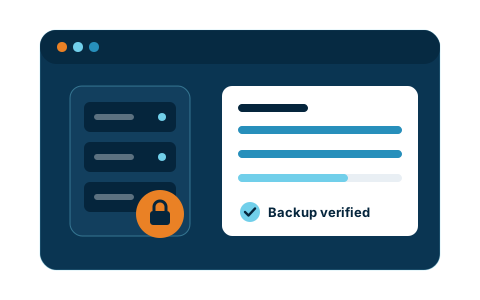
Encrypted backup for Windows and Linux on your own server, with optional end-to-end encryption so even the server can’t read your data.
- Windows and Linux coverage
- Encrypted at rest
- Optional end-to-end encryption
- Scheduled and verified
View technical specifications
Secure Store — self-hosted backup: Linux rubixd plus outbound Windows and Linux agents, AES-256-GCM safes, optional E2E so the server cannot read your data. Request access at www.secure-store.io.
Secure Store is self-hosted encrypted backup: Linux rubixd plus outbound Windows and Linux agents, AES-256-GCM safes, and optional E2E so the server holds neither plaintext nor keys. Windows VSS volumes, Linux file trees, and GFS / GC / verify / schedules. Request access at www.secure-store.io.
What it does
- Linux rubixd + outbound Windows/Linux agents (NAT-friendly)
- AES-256-GCM encrypted-at-rest safes; optional E2E (server holds neither plaintext nor keys)
- Windows VSS volumes · Linux file trees · GFS / GC / verify / schedules
Request access at www.secure-store.io.
Server
Linux rubixd + outbound Windows/Linux agents
Crypto
AES-256-GCM at rest; optional E2E
Coverage
Windows VSS · Linux file trees
Ops
GFS / GC / verify / schedules
Secure Assess
Know where you stand on PCI.
Scan the systems you authorize and get findings mapped to PCI DSS 11.3, with clear advice on what to fix.
- Online, nothing to install
- External and credentialed scans
- Findings mapped to PCI DSS 11.3
- We advise; we never attack
View technical specifications
Multi-tenant SaaS for defensive PCI 11.3 vulnerability assessment: we scan and advise, we never attack. Not a pentest and not an official ASV attestation.
Secure Assess is multi-tenant SaaS for PCI readiness and vulnerability assessment. Sign up in the app. We scan systems you authorize. We report and advise. We never attack. External and credentialed views of the same authorized scope. Findings are mapped to PCI DSS 11.3 vulnerability assessment — not 11.4 pentest, and not an official ASV attestation.
What it does
- Scan systems you authorize — external and credentialed views of the same authorized scope
- Findings mapped to PCI DSS 11.3 vulnerability assessment, not 11.4 penetration testing
- We report and advise; we do not patch, remediate, or change the host we scanned
We scan and advise. We never attack.
Hosting
Multi-tenant SaaS
Scope
Authorized only — external + credentialed
Requirement
PCI DSS 11.3, not 11.4
Output
Report and advise — we never attack
Workstation signer
Office PDF Sign
Workstation PDF signer — no extra tenantFill, sign and flatten PDFs on the workstation. No cloud account, no extra tenant, no telemetry. Pairs with the Secure Message gateway you run.
Office PDF Sign runs on the workstation and pairs with Secure Message. Sign and flatten the document locally, then send it through the gateway you already run. No extra cloud tenant for signing. Free download for Windows. Mac is not published — this page does not promise a Mac file.
- Type, date, checkmark and sign, then save a flattened copy
- Edit the document’s own text instead of covering it over
- Prepare fields for someone else to fill and sign
- No account, no telemetry; the only network it uses is the update feed
- No extra tenant; updates from hub.rubixtechnology.com
Free tool
CertBot
Free Let’s Encrypt tool for IISKeep the certificates on your IIS sites current without putting renewals on anyone’s calendar. CertBot is a free Windows app that gets Let’s Encrypt certificates and renews them automatically every day.
CertBot is for anyone running websites on IIS. Point it at your sites once and it keeps their Let’s Encrypt certificates renewed. Already using Certify The Web? CertBot can import that install.
- Let’s Encrypt certificates for the sites on your IIS server
- HTTP-01 or GoDaddy DNS-01 validation
- Multiple sites and hostnames on one server
- Automatic renewal, checked daily
- Free automatic updates from Rubix Hub
- Imports an existing Certify The Web install
Support & roadmap
Support is still the oldest thing we do
We were an IT support company for years before we sold software, and we still are one. A support agreement on a Rubix product is written by the same company that writes them for clinical environments — so a customer with a problem reaches engineers who can read the source, not a queue that only escalates.
- Support from the people who wrote the code, under an agreement rather than a best-effort inbox
- Nothing in the critical path of the self-hosted products depends on us being reachable — every appliance runs on your own hardware, so your mail, your edge and your desktop sessions keep working regardless
- We can add a feature in weeks because we use our own AI toolchain to build
- Every release held to the standard our clinical customers set
Self-hosted means what you install is yours, on your hardware, under your keys.
Product engineering
We can build one for you
Shipping six products of our own means we have already solved the parts that usually derail a first release — and that experience transfers directly to yours.
- Software that installs and stays supportable on hardware you don’t own
- Tenant isolation strict enough to survive a security review
- Licensing and activation that works on a restricted or air-gapped network
- A build-and-deploy pipeline with logs an auditor can read
- On-premise AI, where the data never leaves the customer’s perimeter
The hard part of selling software is rarely the feature list. It is everything that has to be true before a customer will run it.
Get in touch
Want to see one of them running?
We will stand up an evaluation on your own hardware — a gateway, a firewall, a Desk relay, Watch, or Secure Store — or talk through the product you are trying to ship. Either conversation starts the same way.
Or email ussales@rubixtechnology.com
Prefer to talk? The number is in the header, on every page.